

No.01Easy recording

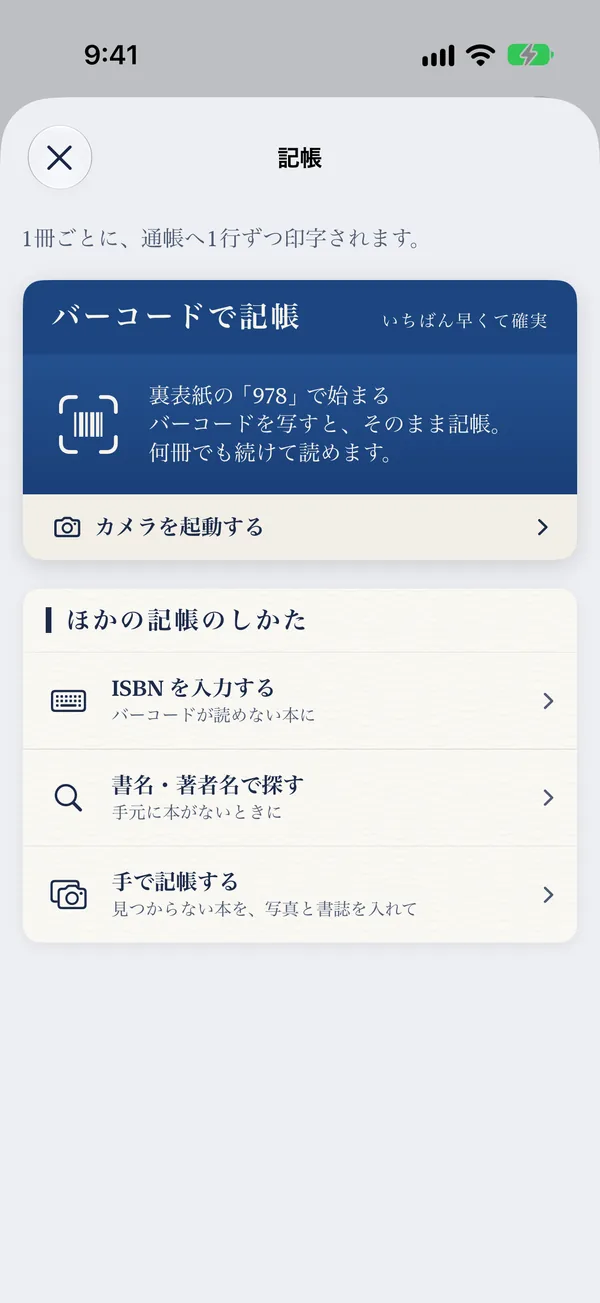
Just scan the barcode
Scan the barcode on the back cover and the title, author, cover and list price are filled in. Keep scanning to record a whole shelf.
Reading account
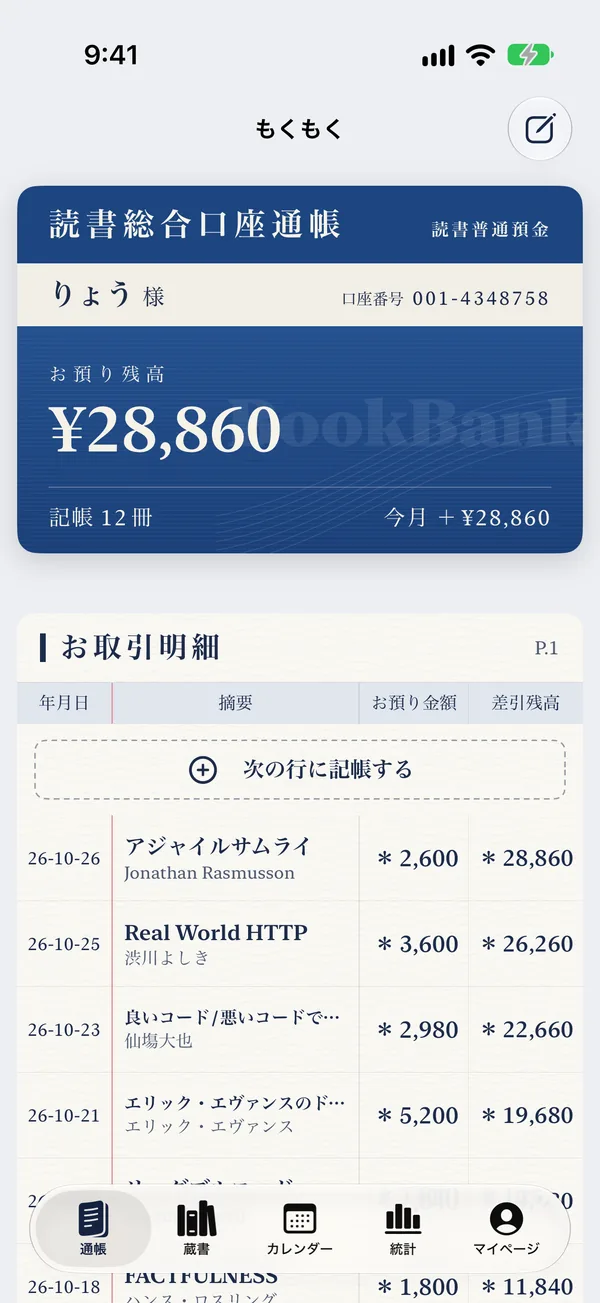
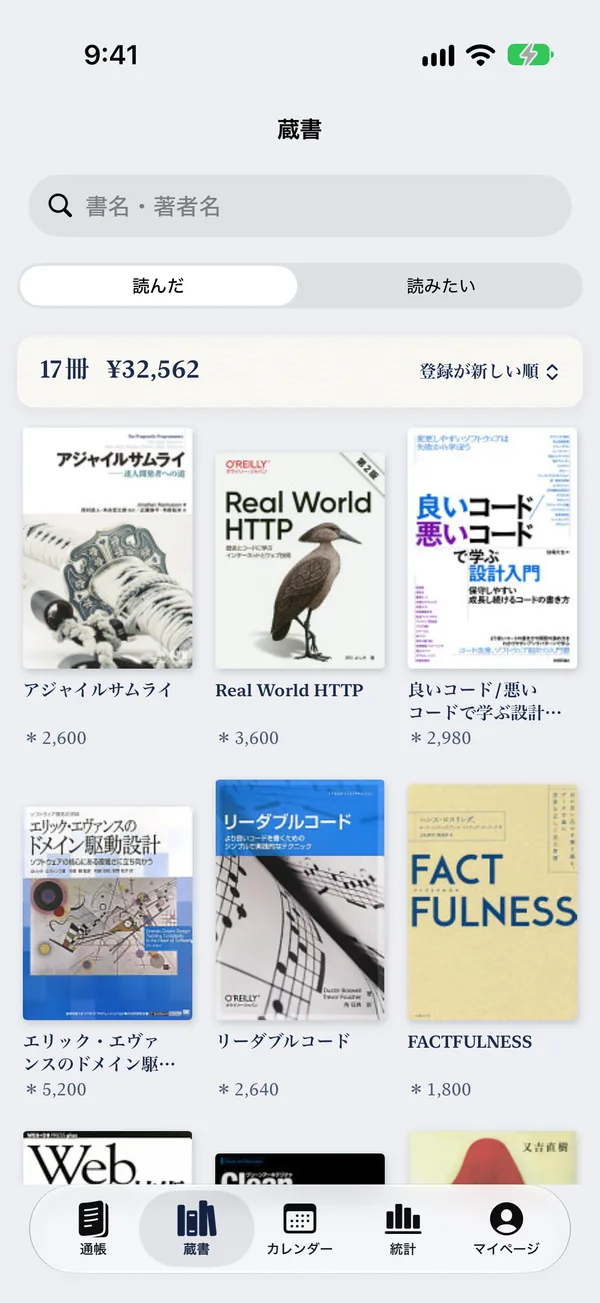
Mokumoku is a reading log that records your books like a bank passbook. Scan the barcode and each book is printed as one line—your balance is everything you have deposited into books so far.
For iPhone, iPad and iPhone Duo. The app is available in Japanese, Korean and Traditional Chinese.
Tap a book on the shelf. Mokumoku scans the barcode and prints it into the passbook, one line at a time.
Reading Account Passbook
Guest
0 books recorded
| Date | Item | Deposit | Balance |
|---|---|---|---|
| Tap a book and it will be printed here | |||
Every book you record quietly fills your statements, stats and calendar.
Scan the barcode on the back cover and the title, author, cover and list price are filled in. Keep scanning to record a whole shelf.

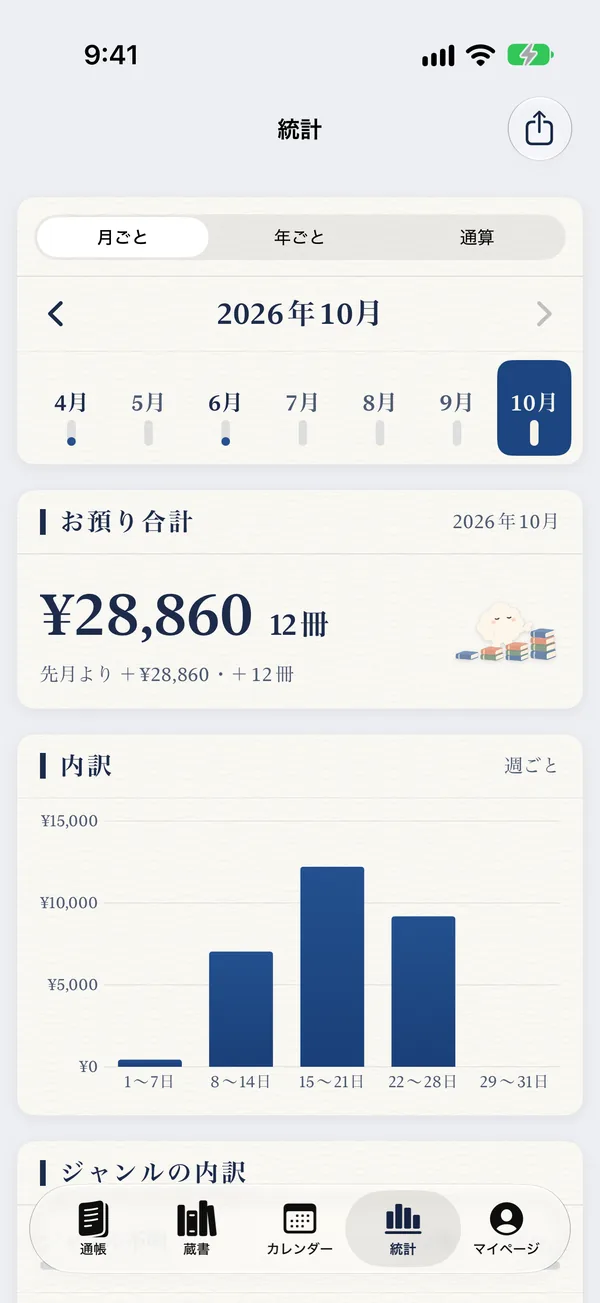
See how many books you read this month, this year and in total, and how much they cost—plus genres and your most-read authors.

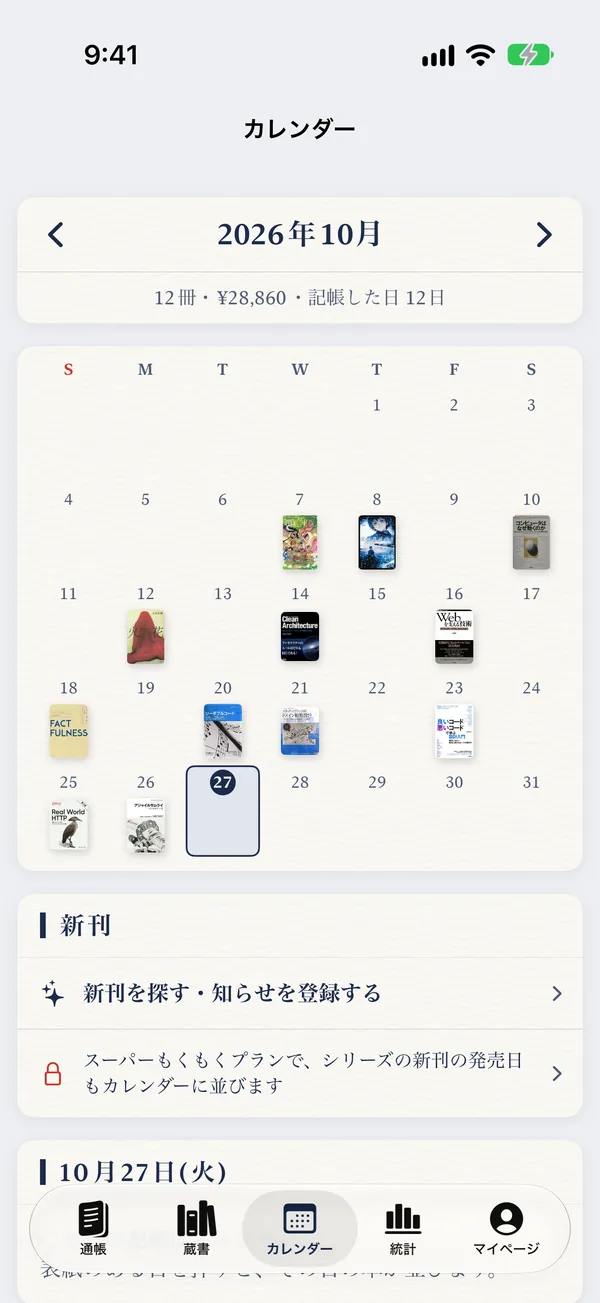
Covers appear on the days you recorded them. With the Super Mokumoku Plan, release dates of new volumes in your series appear too.
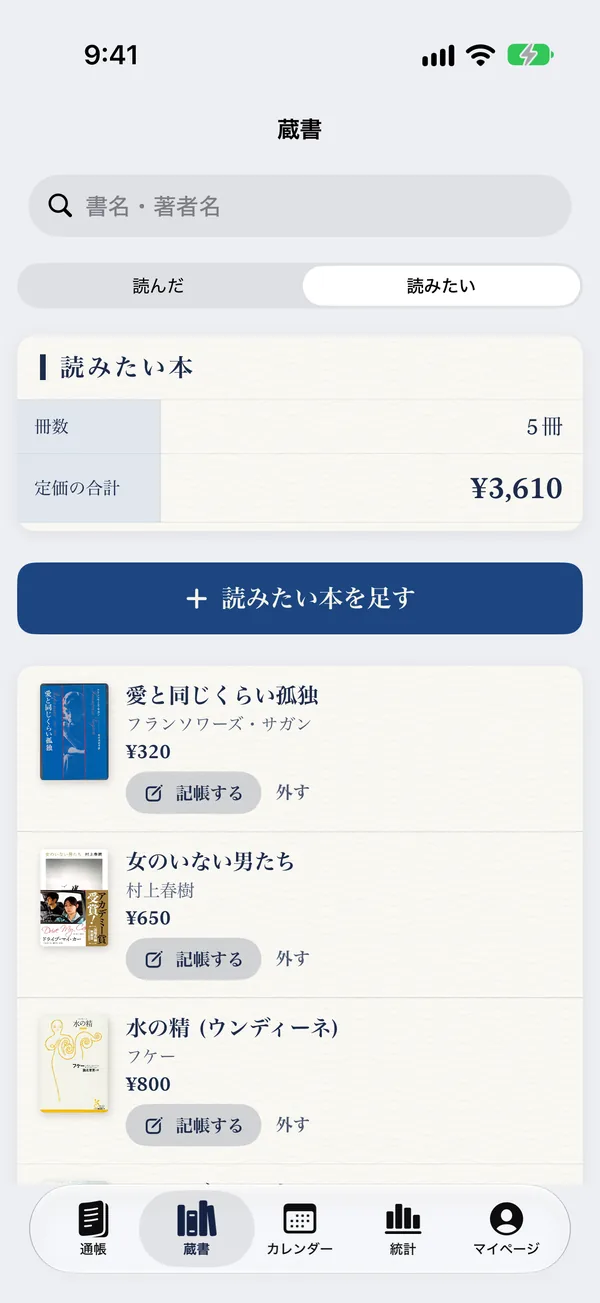
Books you have not bought yet go on the “Want to read” shelf. Once you buy one, record it with a single tap.

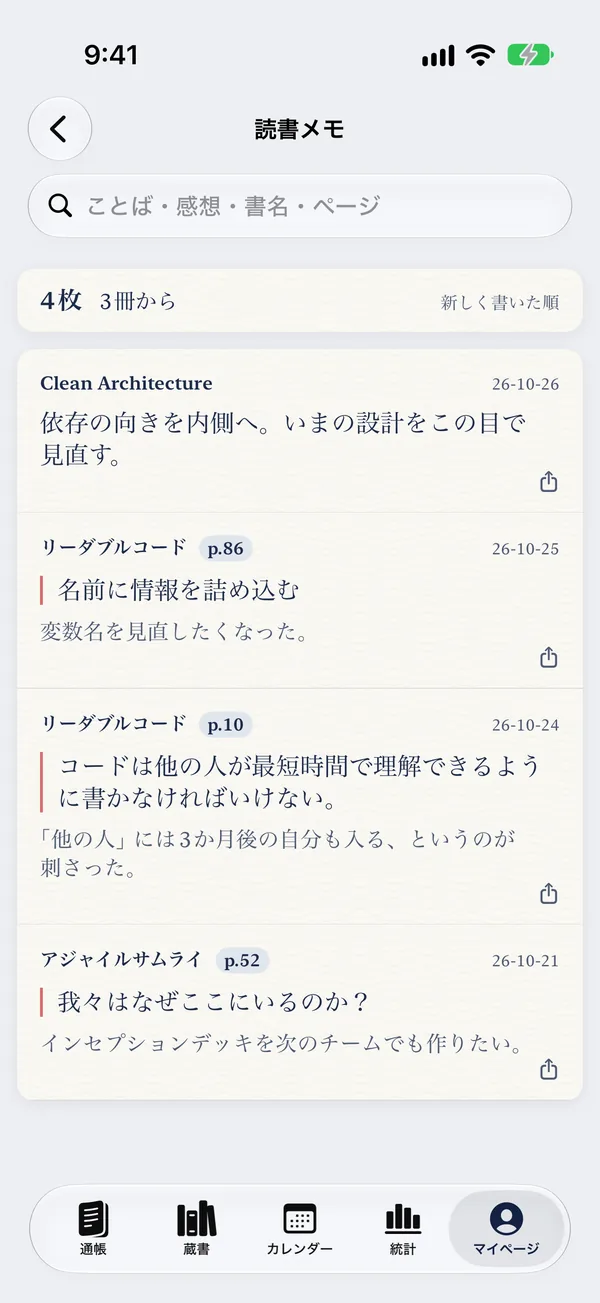
Keep quotes and thoughts for each page, as many as you like. Capture quotes from paper books with the camera.

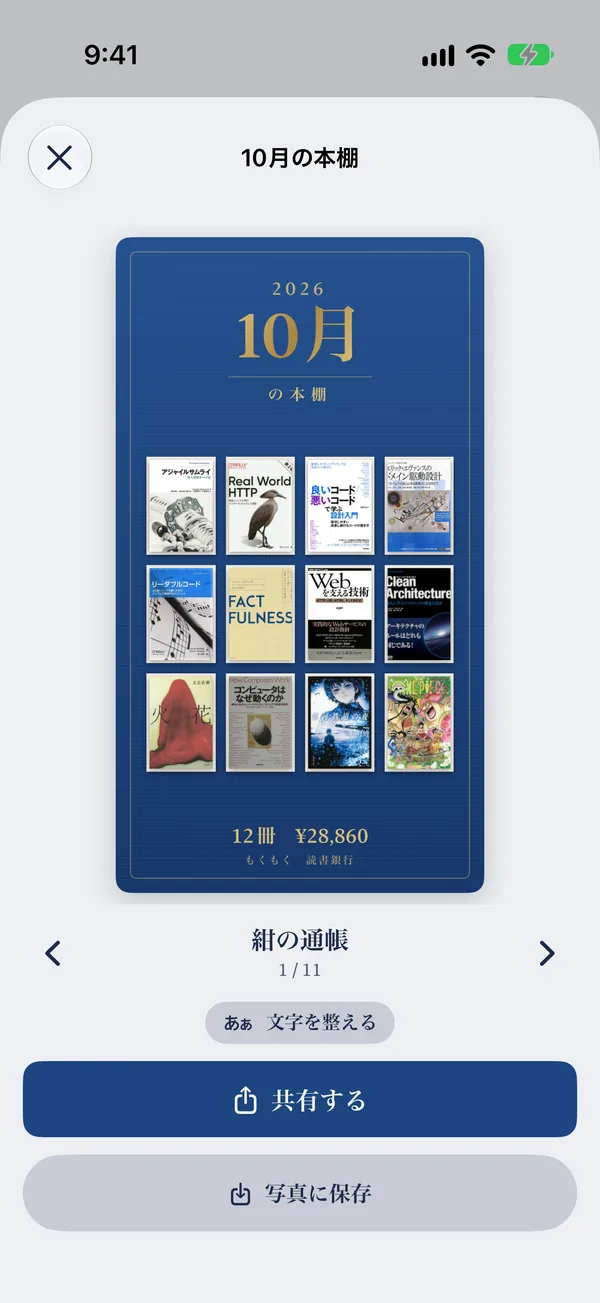
Turn a month or a year of reading into a card or a video and share it. Swipe to pick a design.

Record books from CSV files exported by Goodreads and others. With the Super Mokumoku Plan, import from Bookmeter.

With the Super Mokumoku Plan, deposit your records and reading notes. Connect both your Apple ID and Google account, and you can come back even if you lose access to one.

Dark mode turns it into a night passbook. With the Super Mokumoku Plan, change the cover, the app colors and the home screen icon.
Swipe to take a look inside the passbook. (Screens are shown in Japanese.)
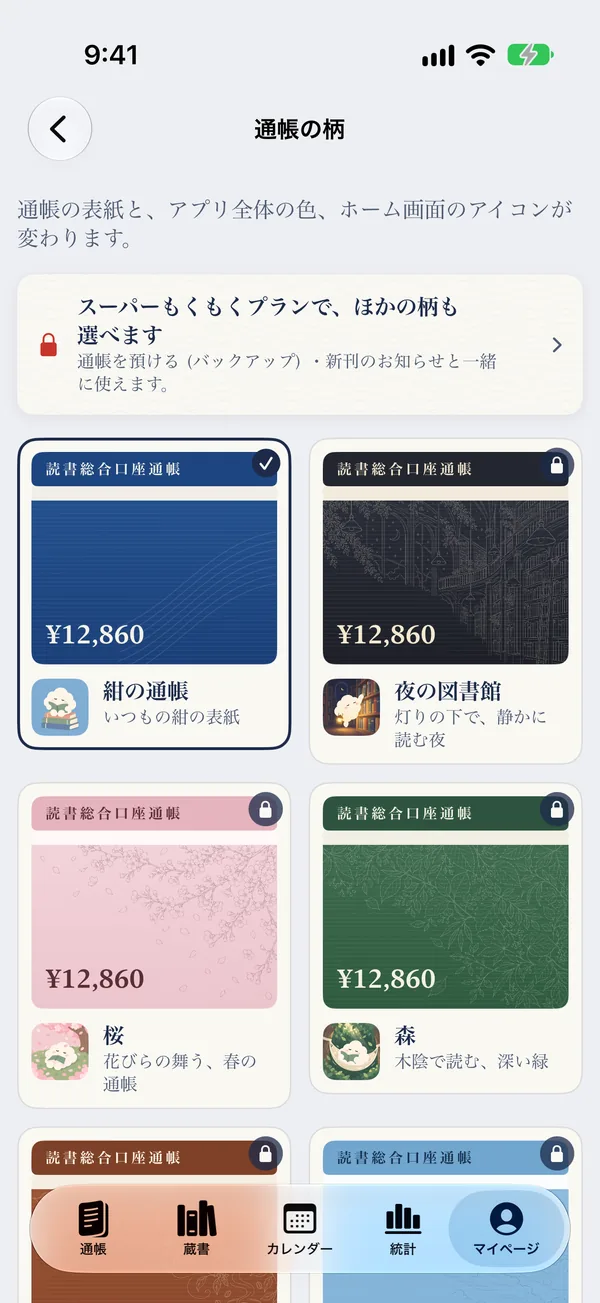
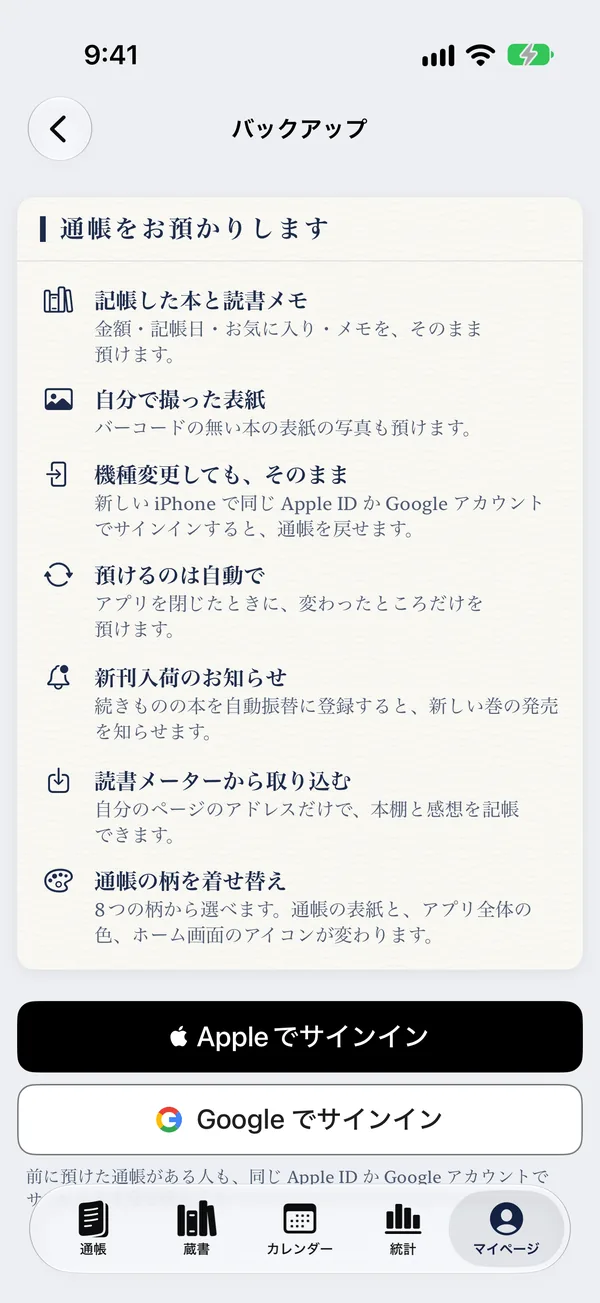
Super Mokumoku Plan
Recording, your library, stats, the calendar and reading notes are free to use. When you want more, there is the Super Mokumoku Plan.
See the price inside the app. Cancel anytime.
Record your first line, and Mokumoku stacks one more book on the pile.
Download on the App Store